Generating a great sprite is one thing. Turning it into a full set of game-ready animations is another.
Revamped Pose Generator
You need your character in different poses. You need those poses animated from multiple angles. You need all of it exported at consistent sizes, properly aligned, in formats your engine actually accepts. For a solo developer or a small team, that pipeline can eat days.
Animation Presets: Consistent Motion Across Every Angle
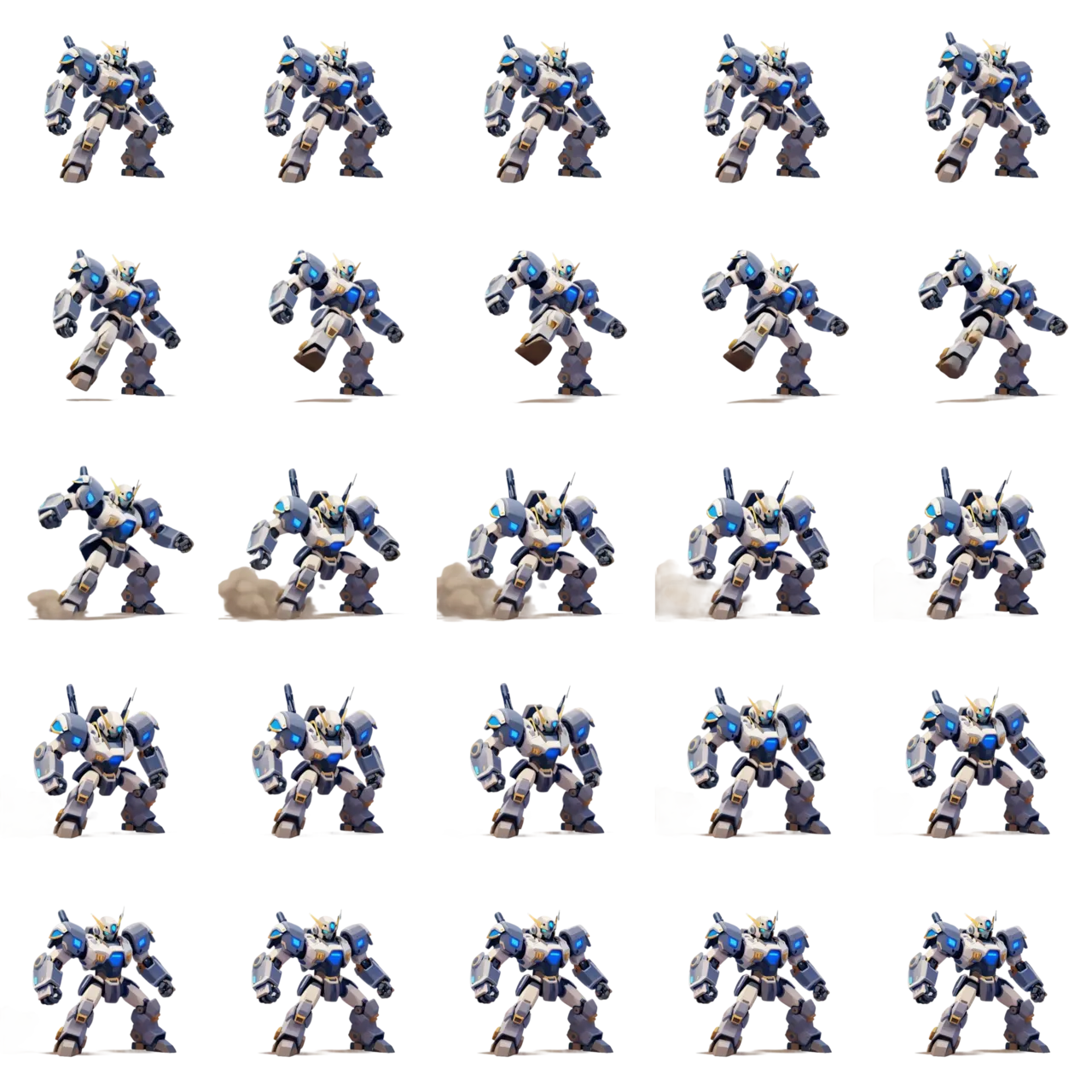
This update changes that. We've revamped the Pose Generator, added an Animation Presets library, and built two new export tools — Animation Packs and Animation Sequences — so you can go from a single static sprite to a complete, game-ready animation set without leaving Ludo.
Generate Before, After, and Transition
The Pose Generator now gives you two distinct modes to manipulate your sprites: Change Pose and Rotate Sprite.
Two New Export Tools
Change Pose lets you select from preset poses — standing, running, jumping, crouching, and more — or write a fully custom description. Pick a pose, hit generate, and Ludo produces a new variation of your sprite in that position. If you want to create new poses or rotations based on a specific pose result, click Create Variation to use it as the new base and keep refining. You can iterate as many times as you need until the pose is exactly what you want.
Export as Animation Pack
Rotate Sprite is built around a new interactive arc selector. Click an angle — anywhere from -90° to 180° — and Ludo generates your character rotated to that camera angle. Need a side view of a character you only have from the front? Select 90° and generate. It's that direct.
Export as Animation Sequence
Both modes feed into the same iterative loop: generate, evaluate, use in your animation or keep refining. Your selections and results persist between sessions, so you can pick up exactly where you left off.
The Full Picture
Transfer Motion lets you take a reference video and apply its motion to a static sprite. The question was always: where do you get the right reference animation?
Animation Presets answers that. It's a searchable library of pre-made animations organized by category — idle, run, attack, walk, and more. But the real power isn't just convenience. Each preset comes with multiple perspectives (Side, Hero, Isometric, Tactical, Top-Down) and eight directions per perspective (N, NE, E, SE, S, SW, W, NW).
This is what makes presets a game-changer for top-down and isometric games. If you're building a game where the player sees your character from above or at a three-quarter angle, you need every animation — idle, walk, attack — rendered in every direction the character can face. That's potentially dozens of sprite sheets for a single character.
Because you're using the same preset across all directions, the motion stays consistent. Your character walks the same way whether they're facing north, southeast, or west. The animations match. The timing matches. You're building a coherent set, not stitching together mismatched results.
The compass selector makes this fast. Pick a direction, preview the animation right in the compass center, and confirm. No hunting for reference videos. No hoping two clips have similar timing.