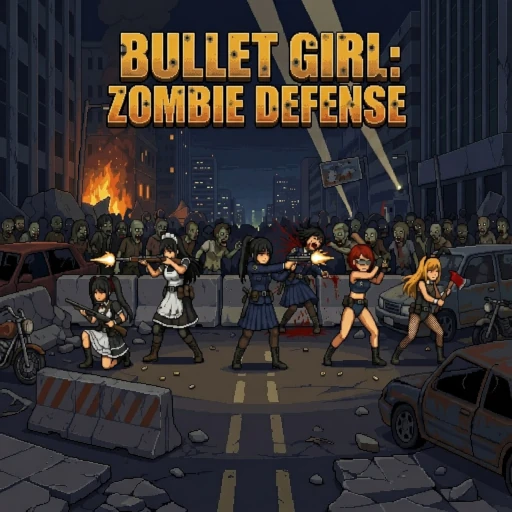
Squad holding the line as the zombie horde rolls in.
A two-frame walk cycle problem
Bullet Girl: Zombie Defense launched on Steam on April 28, 2026. It's a pixel-art tower defense game from Sojourner.Game, built in Godot 4.6.1, where you command a squad of five girls across ruined cities, forests, deserts, and laboratories against endless waves of zombies. Deploy melee units to hold the front line, position ranged units behind them, manage your energy, and survive long enough to unlock more characters and CG rewards.
Trying three AI tools for the job
The game's art budget is tight. Ten units total (five friendly, five enemy), and for each one, just five frames of animation: two for walking, two for attacking, one for getting hurt. That count is normal for the genre. The problem the developer hit during testing was that two frames of walking just wasn't enough for the friendly units.
Walks, attacks, and the rest of the pipeline
The enemy zombies were fine. Godot's built-in visual effects (motion shaders, subtle squash and stretch on the unit's movement tween) did enough work to mask the stiffness of a two-frame loop. The undead are supposed to lurch, so two frames was acceptable.
The squad is holding the line
The friendly units were the problem. The Policewoman, the Maid, the Gothic Girl, the Athlete, and the Bunny Girl all looked stiff during their walk cycles. Two frames couldn't carry it.
Where to find Bullet Girl: Zombie Defense
The fix was more frames. The question was how to generate them without spending the rest of the project hand-drawing in-betweens.
Zombie sprite frames. Two frames plus Godot's motion shaders was enough for the undead.
Image-to-video AI tools looked like the right approach: feed in a character sprite, get back a short animated clip, slice it into frames, drop it into the sprite sheet. The catch was finding one that could do clean walk cycles on a pixel-art character without adding extra steps that ate up the time savings. The developer tried three of them before settling on one.
The first attempt was Google's Veo. The results were unusable for sprite animation:
The second was Seedance 2.0. The raw output quality was excellent, on par with what Ludo produced, but the workflow penalty was severe. To get a usable sprite sheet, the developer had to generate a video, screenshot the right frames one by one, remove the backgrounds, then assemble the sheet by hand. That's a lot of manual cleanup per character, multiplied by five.
The third was Ludo. The friendly units' walk cycles came out natural on the first pass for four of the five characters. The Maid's posture was the only one that read as slightly off, and that was acceptable for shipping. The sprite-sheet output landed in a format the developer could drop straight into Godot, with no intermediate frame-extraction step.
Friendly unit walk-cycle sprite sheet generated with Ludo, ready to drop into Godot.